


|
|
Rendering data with different attributes (Bounds1AltObj)
An alternate object can render the same data, but with a different set of attributes. For example, you can render spheres as points while they are being manipulated. You do this by using an alternate object whose modes is set to render points.
The following diagram, which shows how to do this, is taken from the AttribAltObj example that is found in Libraries.Examples.Graphics_Display. To see the objects shown in the network, maximize Read_Geom, maximize DataObject, maximize AltObject. Open AltModes, then open mode[5].
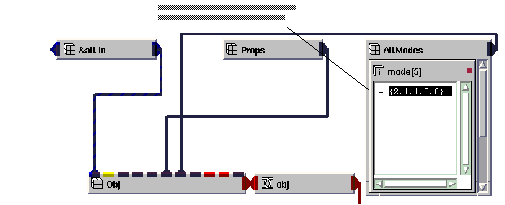
It is also possible to set up the alternate object capability to render a bounds around all the objects in the view. To do this, each individual object in the view needs to have an alternate object that is not visible. This is done by setting the visible parameter of the object to 0 as illustrated in the diagram below.
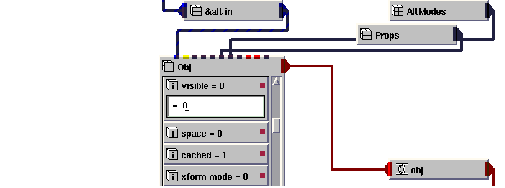
The top object in the view, which is found inside the viewer, needs to have an alternate object configured to render bounds as shown above. To see an actual example, instance Bound2AltObj, maximize Read_Geom, maximize DataObject, maximize AltObject and open Obj to see an object configured to be invisible. Then maximize Uviewer3D, maximize Scene, maximize Top and look at AltObject to see the top object configured to render bounds.
|
|