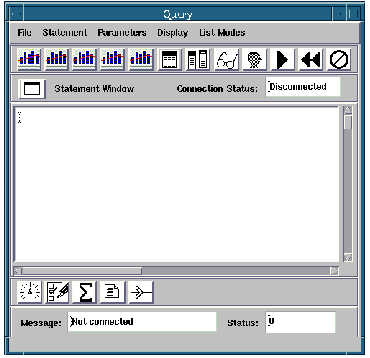
Query selects data from a table in the current database based on user specifications and returns it to the user.
column_array[] DBcolumn group
Graph1 link
Graph2 link
Graph3 link
Graph4 link
Graph5 link
The Query macro selects data from a table or view in the current database based on user specifications in a SQL SELECT statement and returns the data as an array of columns, one for each column specified by the SELECT statement. It provides a user interface to the DBquery module that performs the query and additional modules that perform some support functions. The interface also provides access to additional UIwindows.
A pointer to the connection descriptor of the session in which Query is to execute. This is the output of the DBconnect module or Connect macro that initiated the session.
CAUTION: Do not modify this value. A fatal error will result.
A return value that indicates the number of columns in the data rows returned by the query.
The data returned by a SELECT statement. Each element in this array is a DBcolumn group that consists of an array containing a column of returned data, an integer value that indicates whether null data values are present, the value that is to be used to represent a null data value, and the name of the column.
Graph1, Graph2, Graph3, Graph4, Graph5
Links to the Graph tools in the Query interface.
These ports are typically connected to other UIwindows; for example, Viewer3D. When the user selects the corresponding tool from the Query toolbar (see The Toolkits Book ), the selected UIwindow is opened.
• OutputWindowUI , and OutputUI for some reference descriptions of the UIwindows in Query that are available separately for use in applications.